

Free trial
Download Stairs2Cut
Try every feature free for 14 days. No account, no credit card.
Stairs2Cut 1.0.1
Installer for Windows 10 and 11 (64-bit), AutoCAD 2017 and later.
By downloading, you accept the terms of use.
After downloading
Run the installer
Close AutoCAD first. If Windows SmartScreen shows “Windows protected your PC”, click “More info”, then “Run anyway”.
Open AutoCAD
Stairs2Cut loads automatically with AutoCAD.
Type STAIRS2CUT
Type STAIRS2CUT on the command line and press Enter.
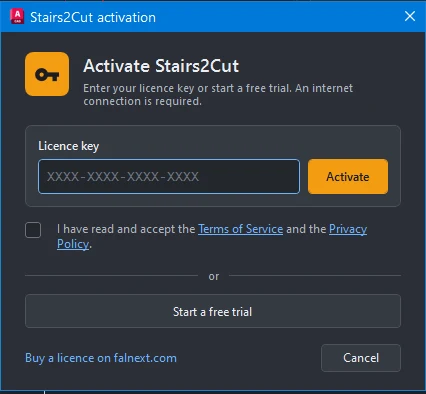
Start your free trial
Accept the terms and click “Start a free trial”. The Stairs2Cut palette opens: you are ready.
New to Stairs2Cut?
The user guide walks you through your first section.
AutoCAD LT or Mac?
These versions do not support plugins. Stairs2Cut needs the full AutoCAD for Windows.
A problem?
Tell us what happens on the contact page; we answer quickly.